Every support tool for growing teams, in one place.
Reply to the customer and talk to your team
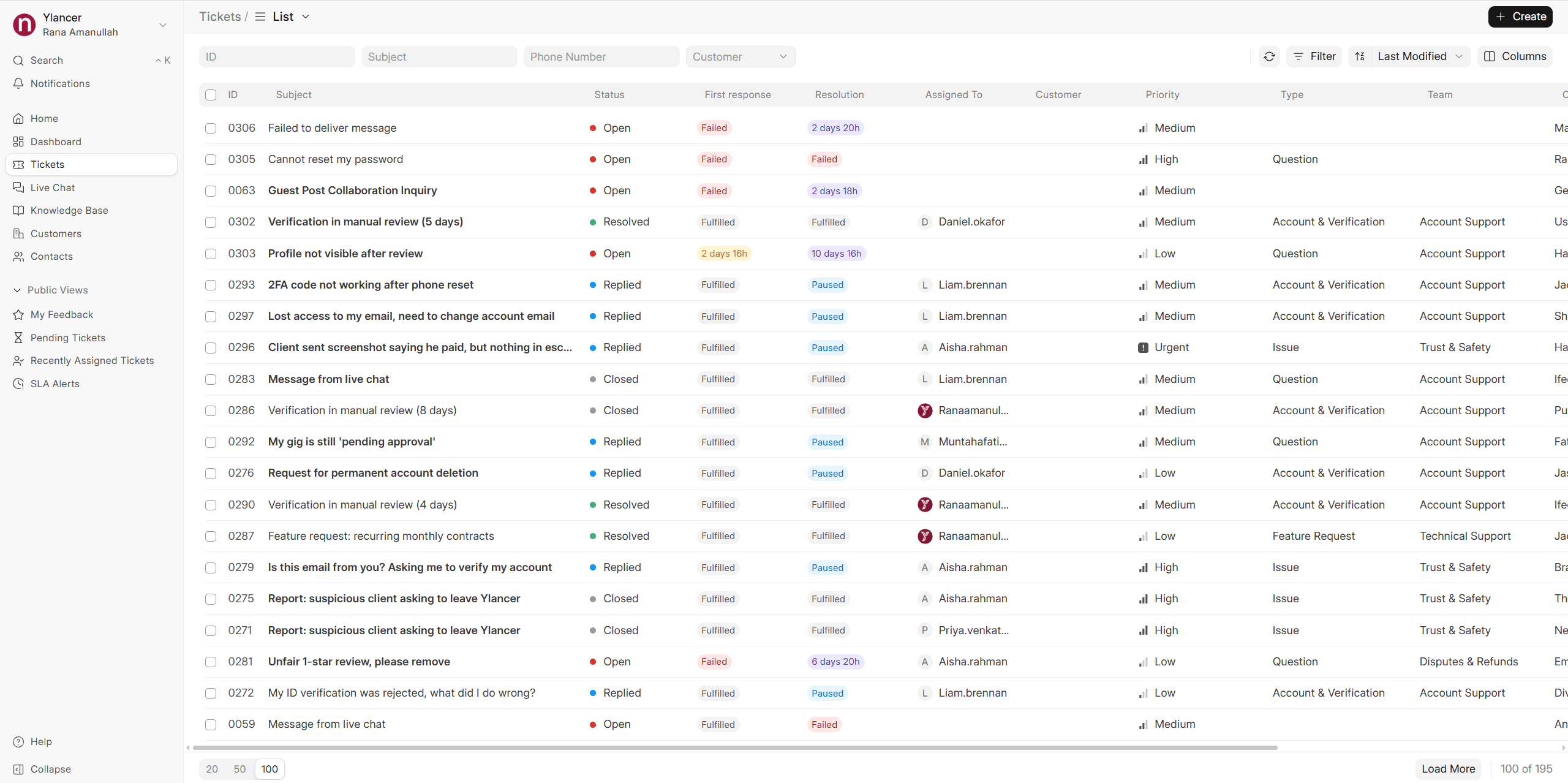
Reply to the customer right from the ticket. Depending on how the ticket came in, your reply goes to their inbox or appears in the customer portal. When you need a teammate, leave a comment and @mention them. Comments are for your team only, so the customer never sees them, and you can see when a colleague is typing on the same ticket.
Live chat on your website
Add the chat widget with one line of code and match it to your brand colours. Chats reach your agents with sound and desktop alerts, and any chat can become a ticket with the transcript attached. Offline messages become tickets too.
Service Level Agreements (SLAs)
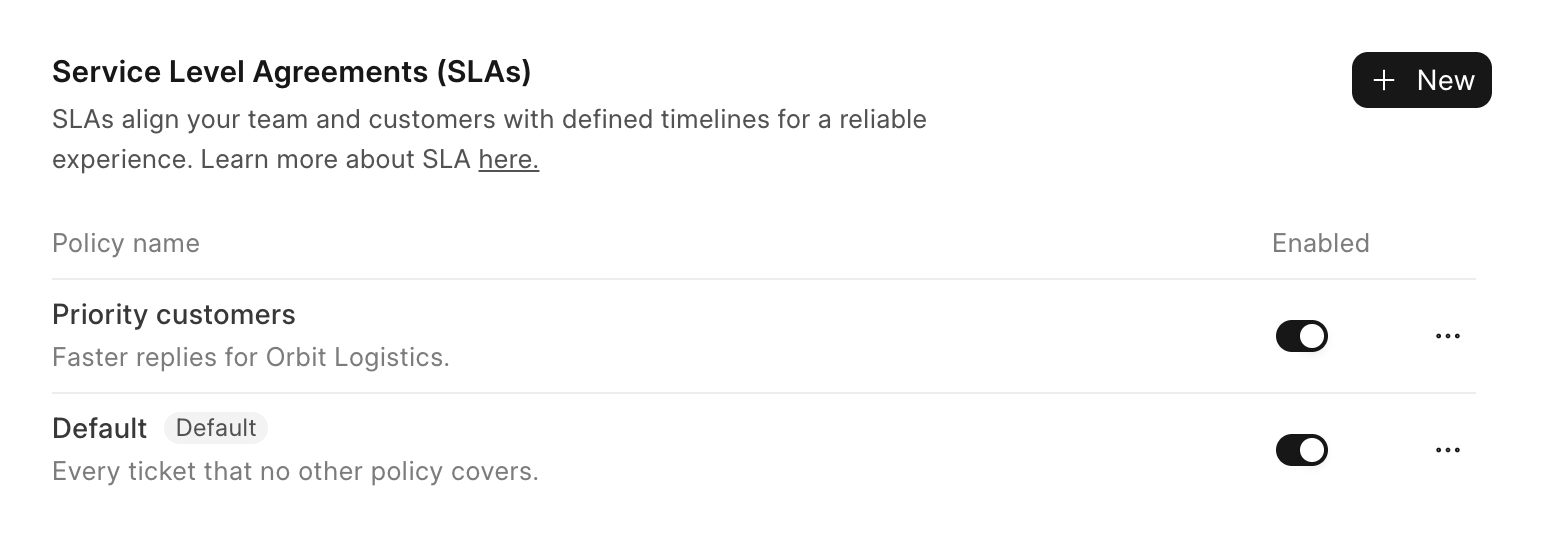
An SLA is the time you promise a customer for a first reply and for a fix. Set those times once in Nefisa Helpdesk and every ticket that comes in gets them automatically. Helpdesk then tracks the clock on each ticket, so your team can see what is due, what is late and what is waiting on the customer.
The timer pauses while you wait on the customer
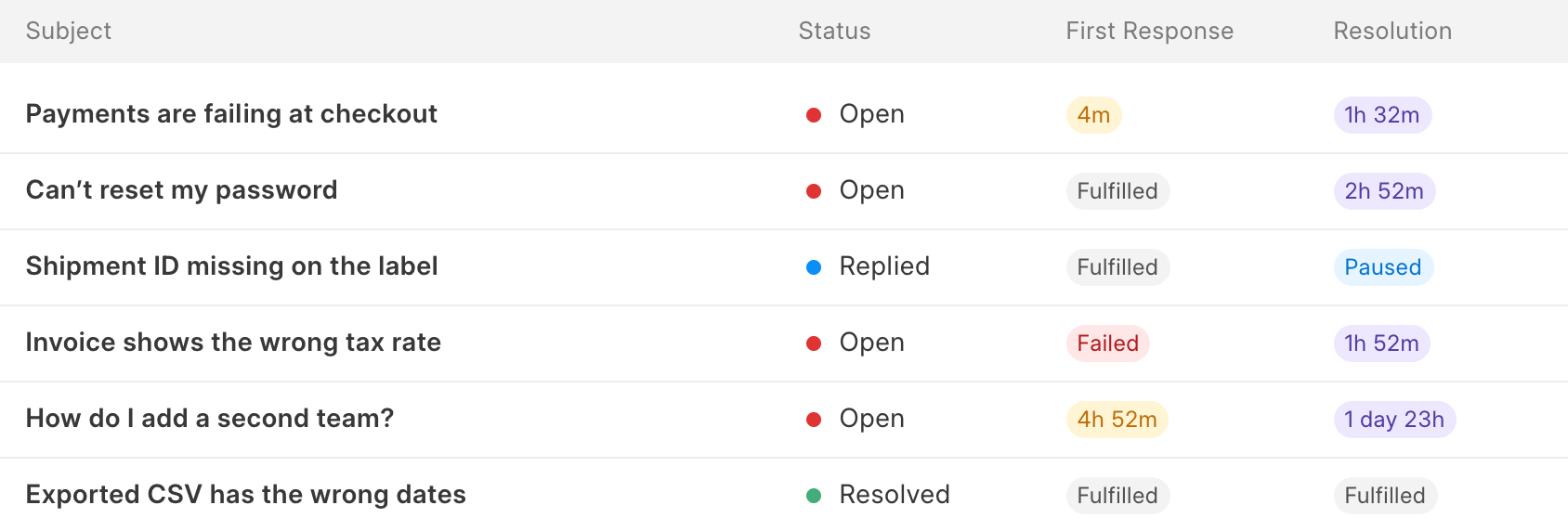
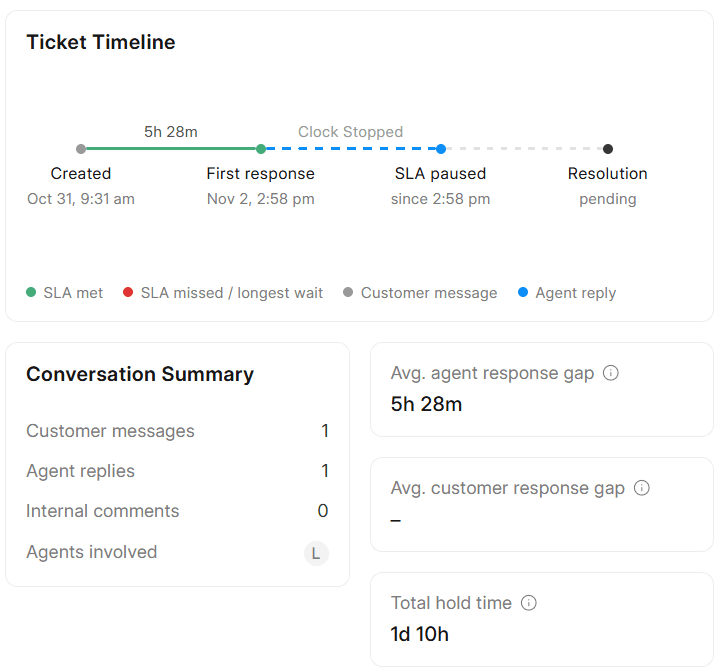
When you reply and the ticket moves to Replied, the SLA timer pauses. It starts again when the customer writes back, so waiting time never counts against your team.
OpenCustomer writes in9:58 AM
1m counted
RepliedAgent replies9:59 AM
Paused
OpenCustomer replies10:01 AM
52m counted
ResolvedAgent resolves it10:53 AM
Customer Management
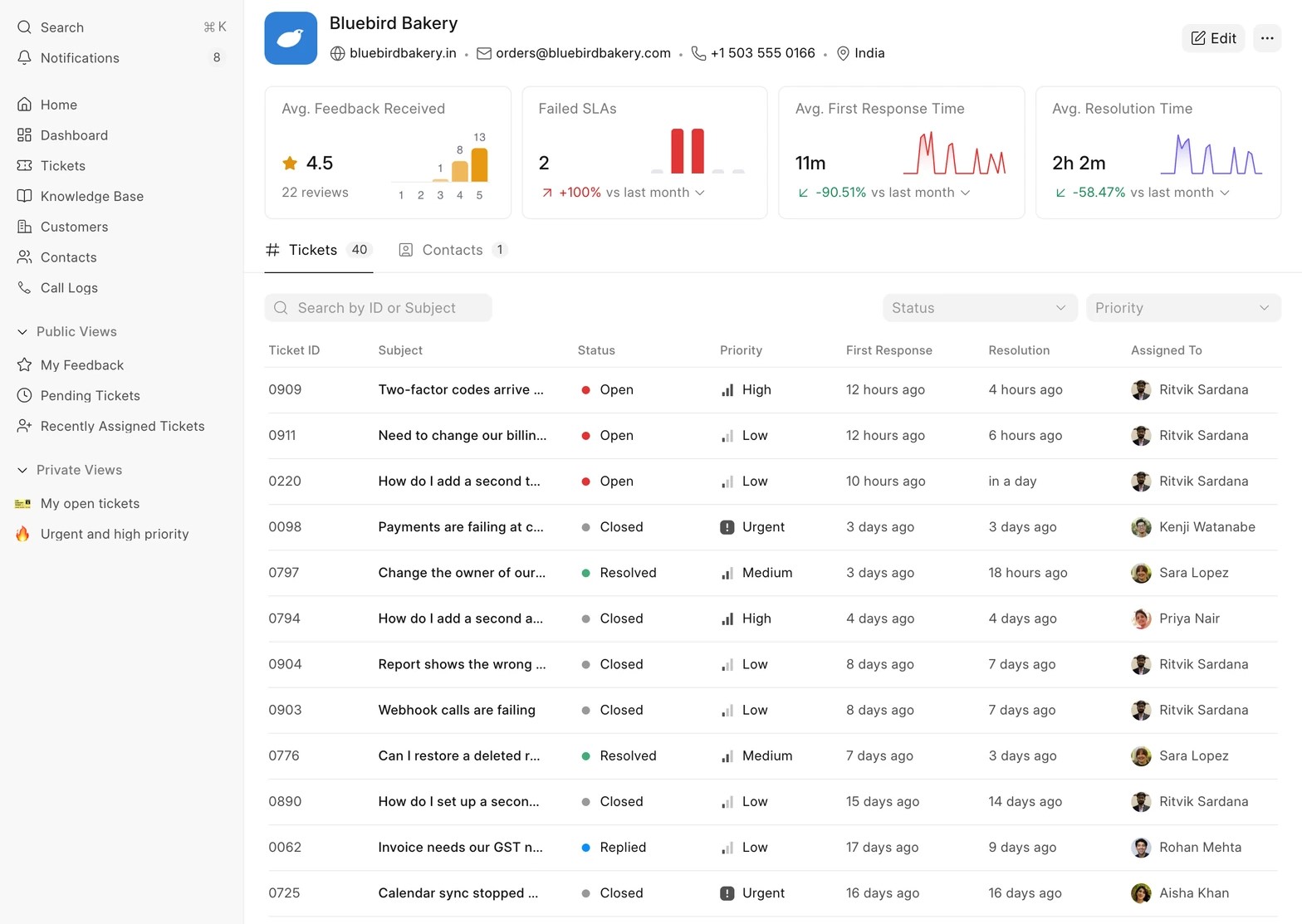
Nefisa Helpdesk keeps a record of every customer you support and the people who write in from them. Agents can see who they are helping, what they asked before and how happy they have been with your support, all on one page.
Set it up to fit your team
Every support team works a little differently. In Nefisa Helpdesk you can add your own ticket fields, decide what customers fill in, choose who can do what and let routine work run on its own, all from Settings.
Knowledge base and help centre
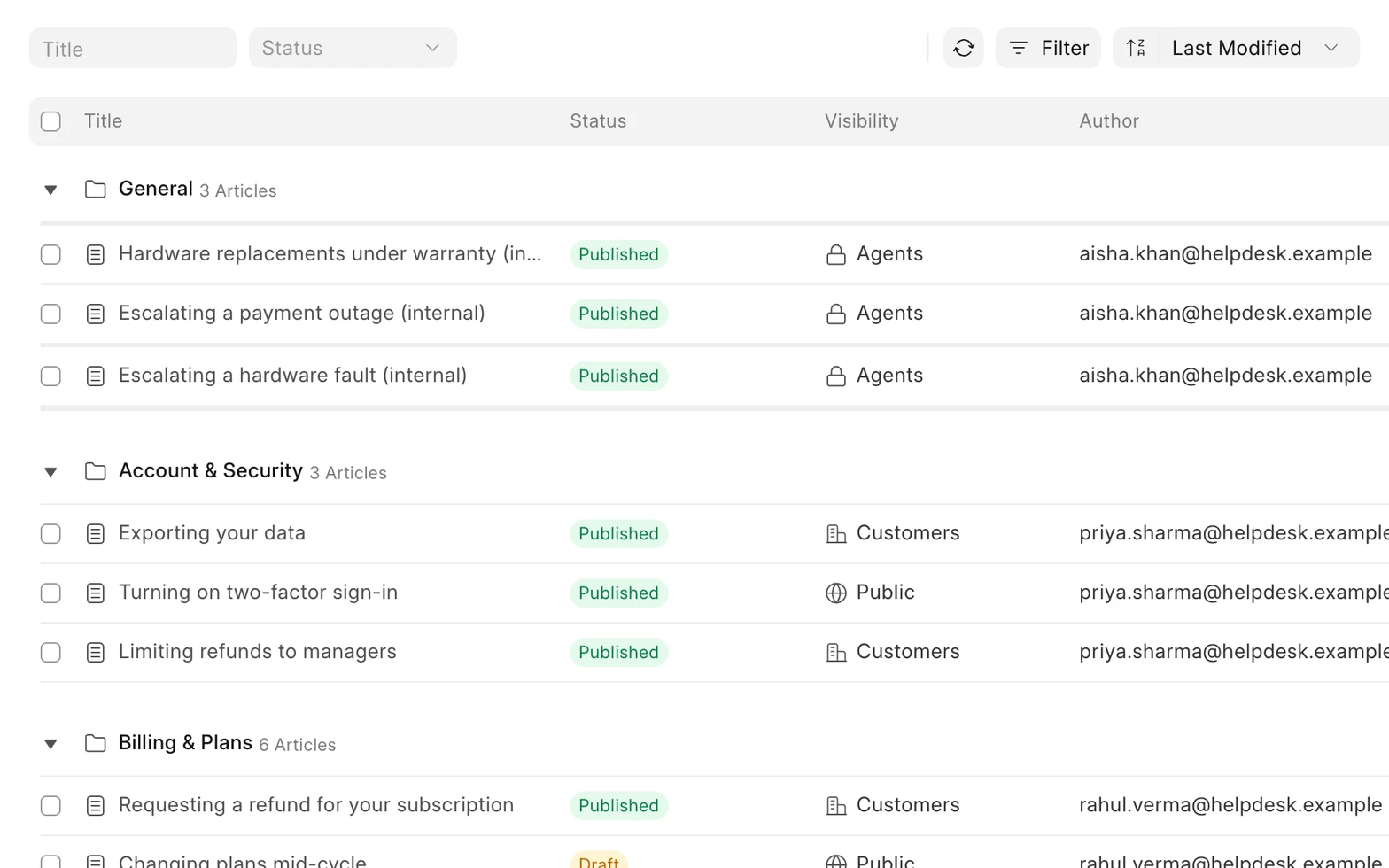
Write help articles, sort them into categories and choose who sees each one: the public, your customers or only your agents. Customers can search them before they write in, and Growth and Enterprise can also run a public help centre with ticket forms and live chat.
Connects to the tools you already use
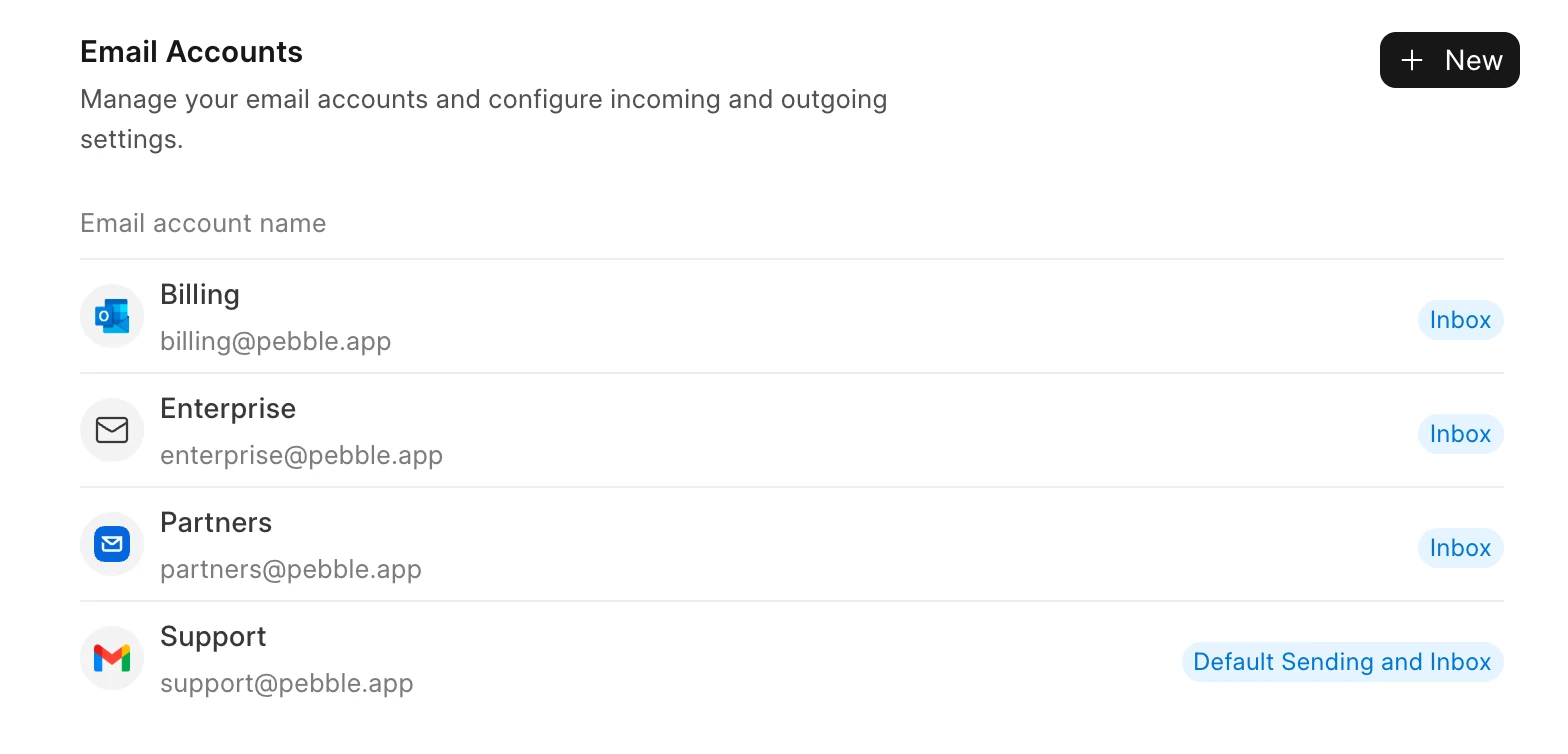
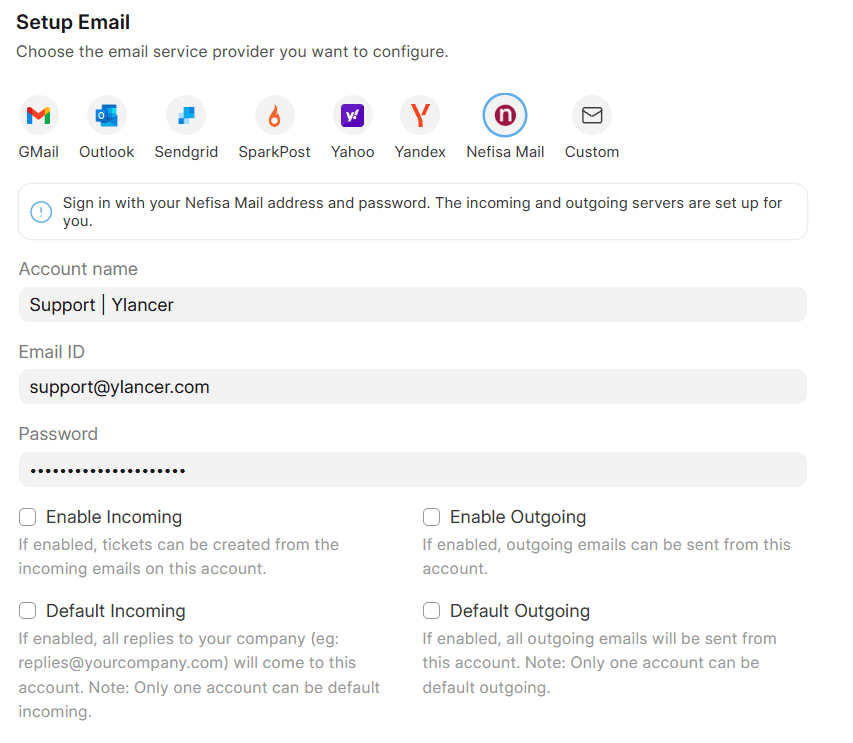
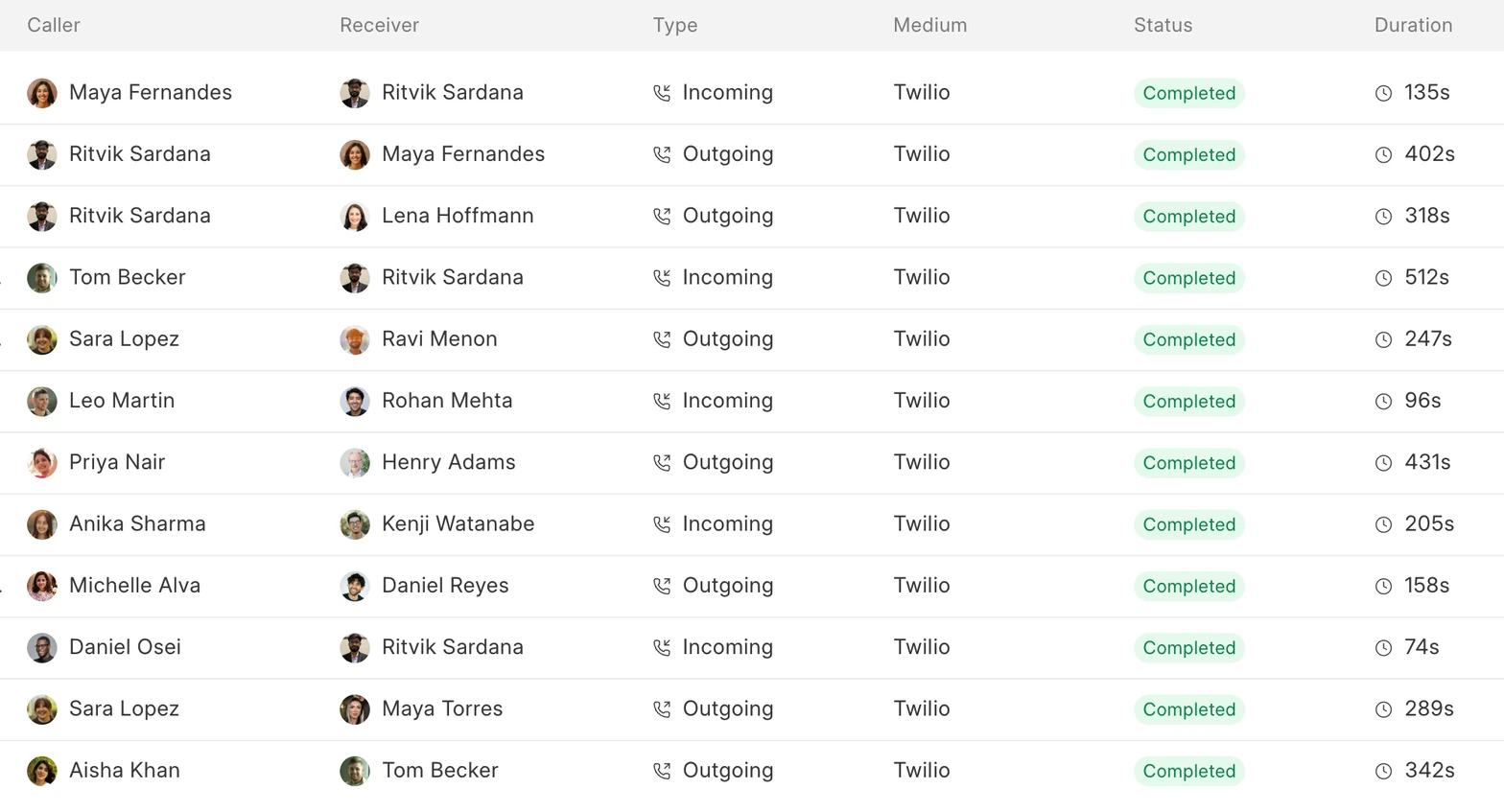
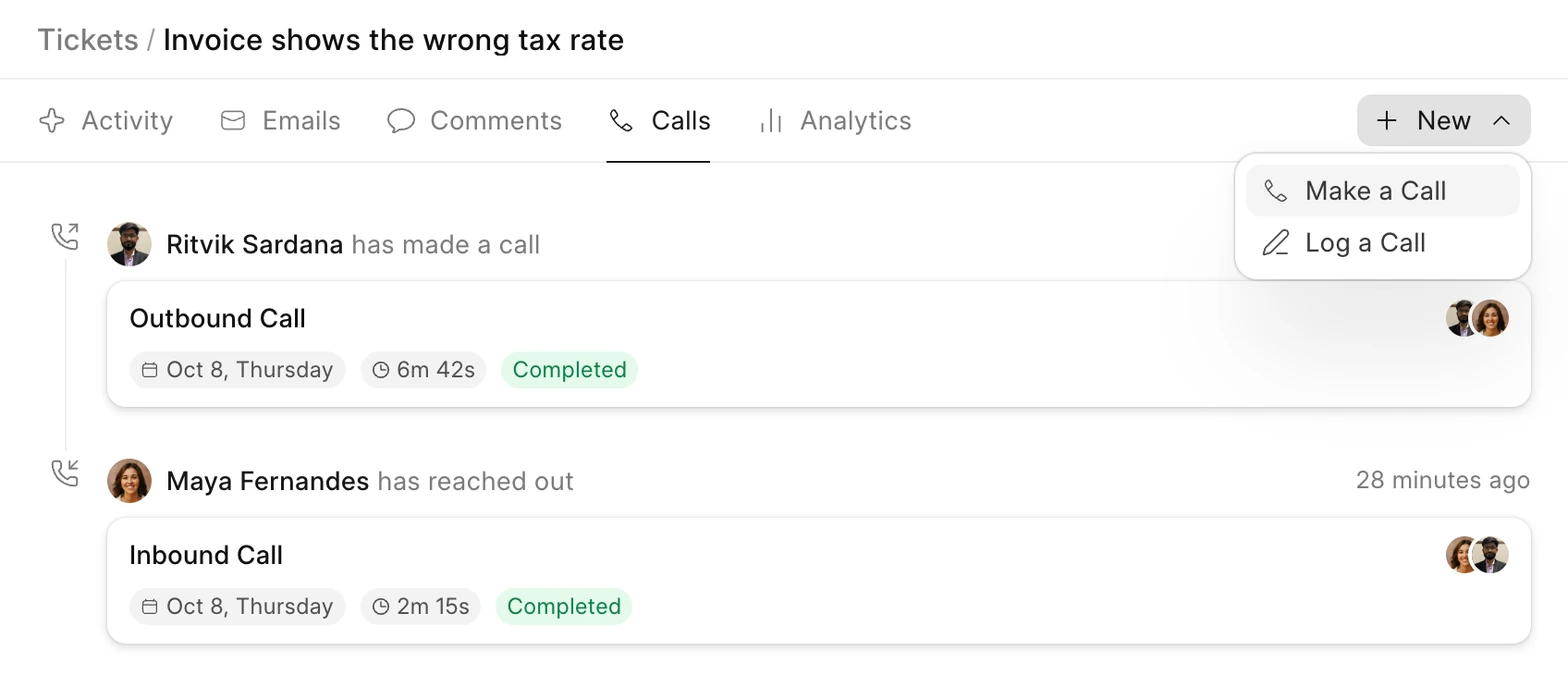
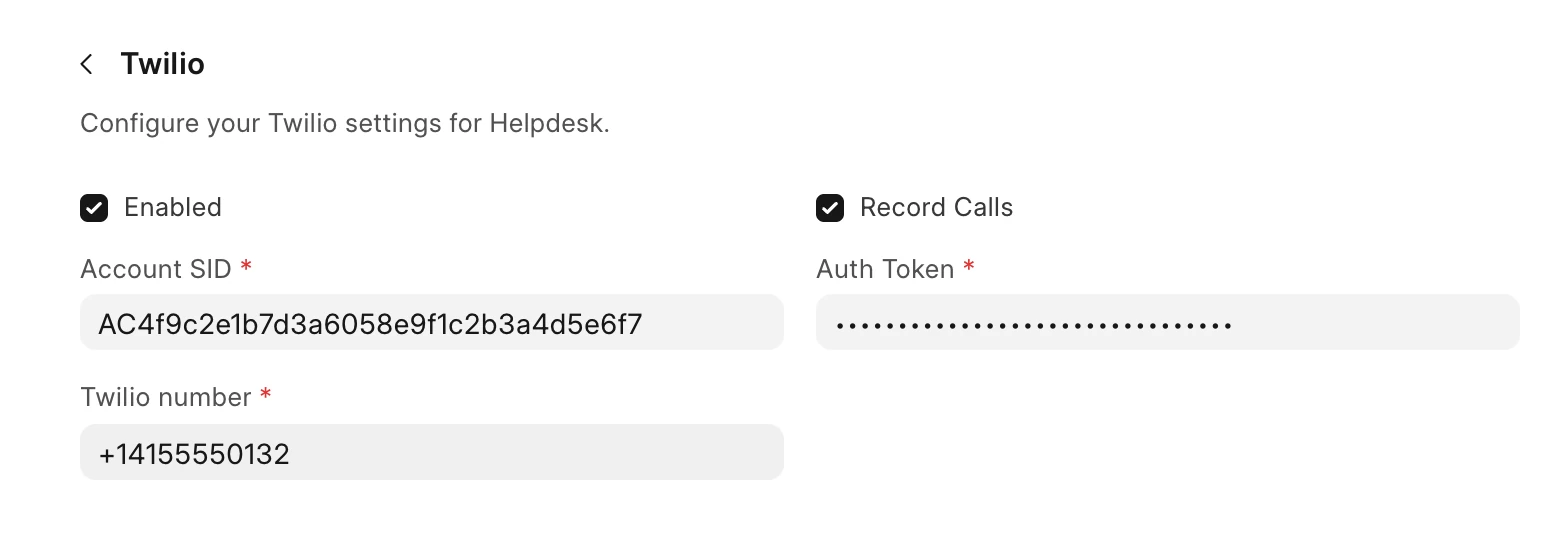
Nefisa Helpdesk connects to the email accounts, phone system and customer records your team already uses. Connect your support mailbox so every email becomes a ticket, and call customers straight from a ticket with Twilio or Exotel, with each call logged on the ticket. Calling is available on Enterprise.
Connect your support email
Call customers from a ticket
Ticket API and webhooks
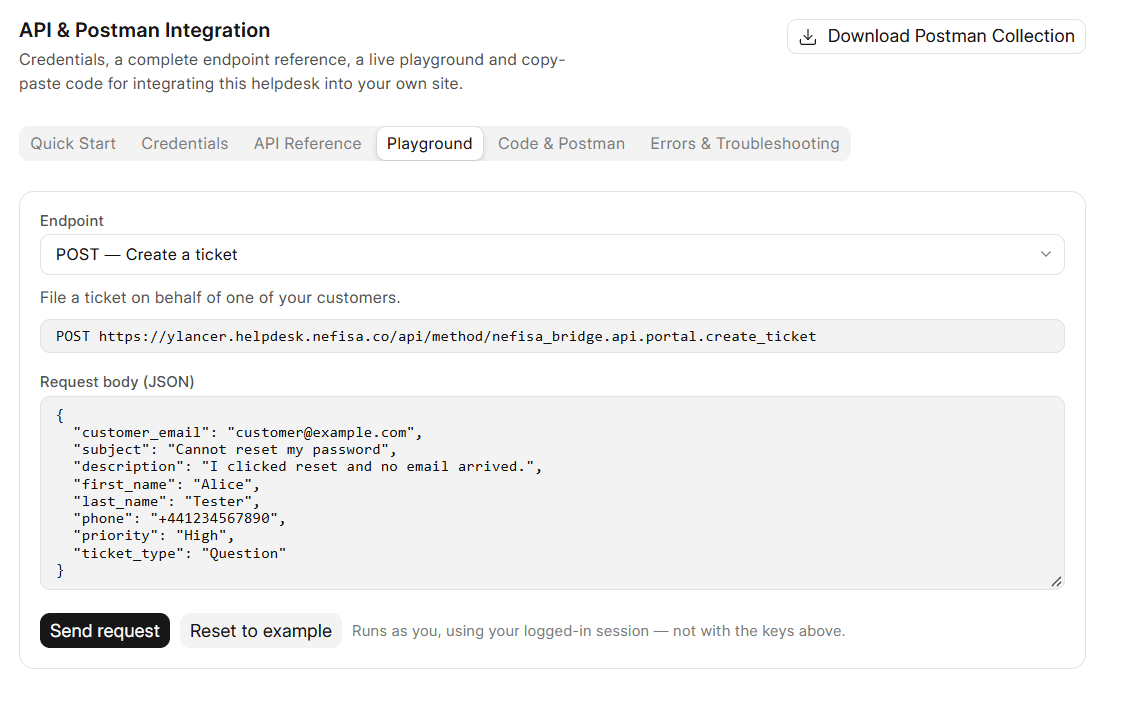
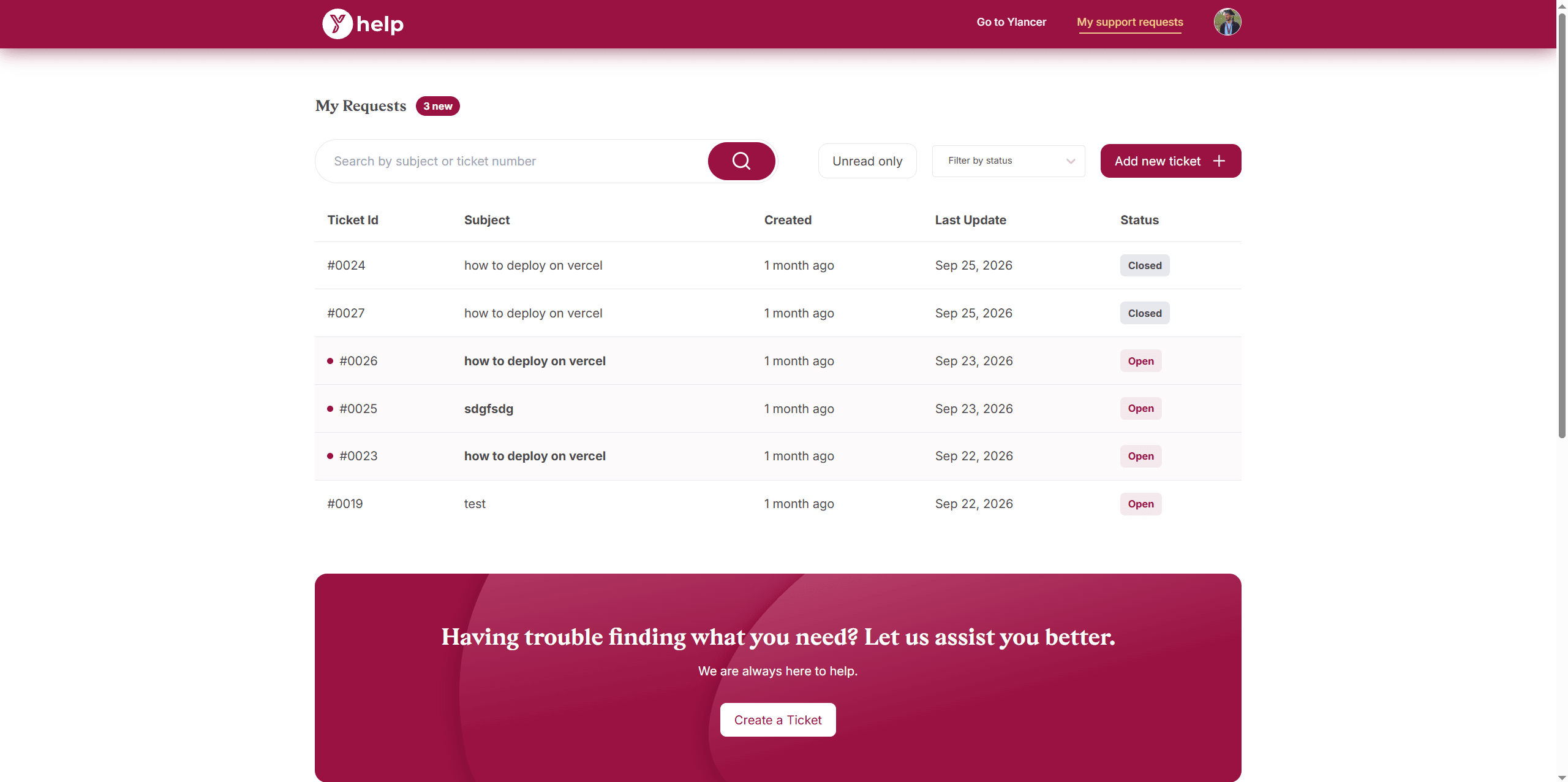
Your own site or app can create tickets, fetch a customer's tickets and conversation, and post replies over a token-secured REST API. Every call is scoped to one customer's email, and webhooks tell your systems when a ticket changes. Build your own contact form or support page, and your customers can raise and follow tickets without leaving your website.
Try every call in the built-in playground
Show customers their tickets on your own site
Insights and Reporting
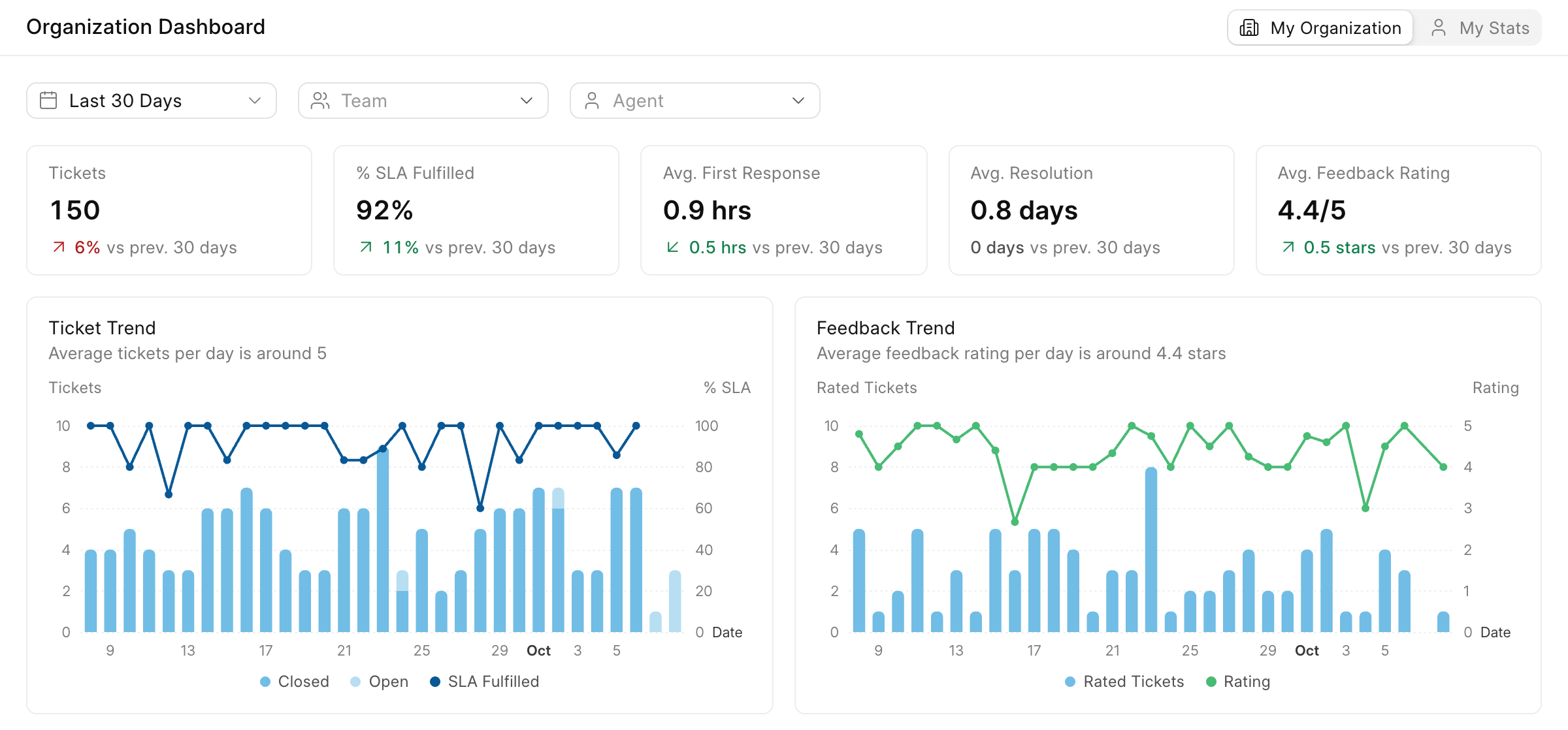
The dashboard in Nefisa Helpdesk shows how your support is going: how many tickets came in, how quickly your team replied, how many SLAs were met and how customers rated their support. Every number is compared with the previous period, so you can tell right away whether things are getting better or worse.
1See how your support is doing
Tickets, SLA fulfilled, first response, resolution and feedback rating for any period, team or agent, with trends over time.
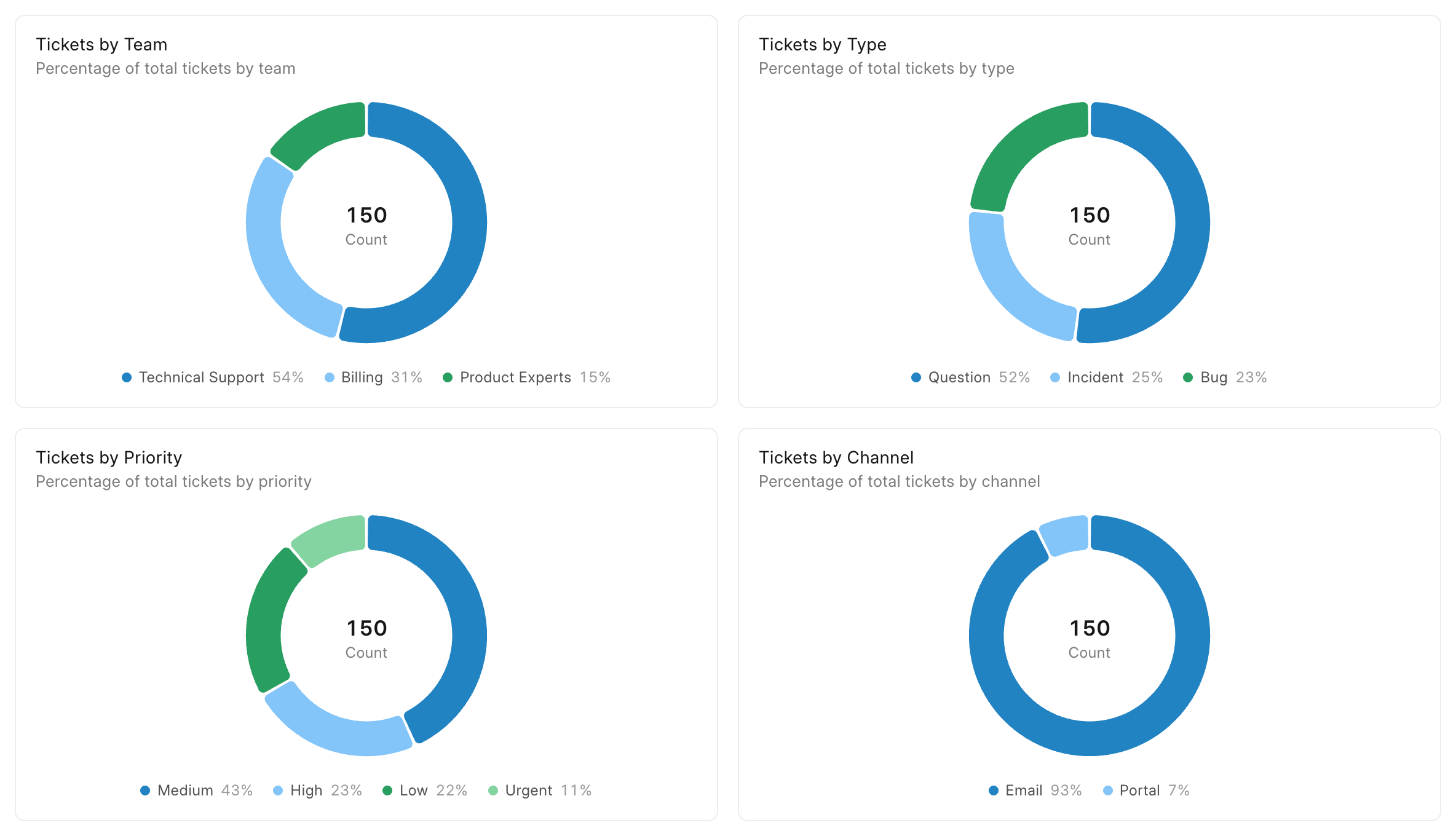
2See where tickets come from
Split your tickets by team, type, priority and channel.
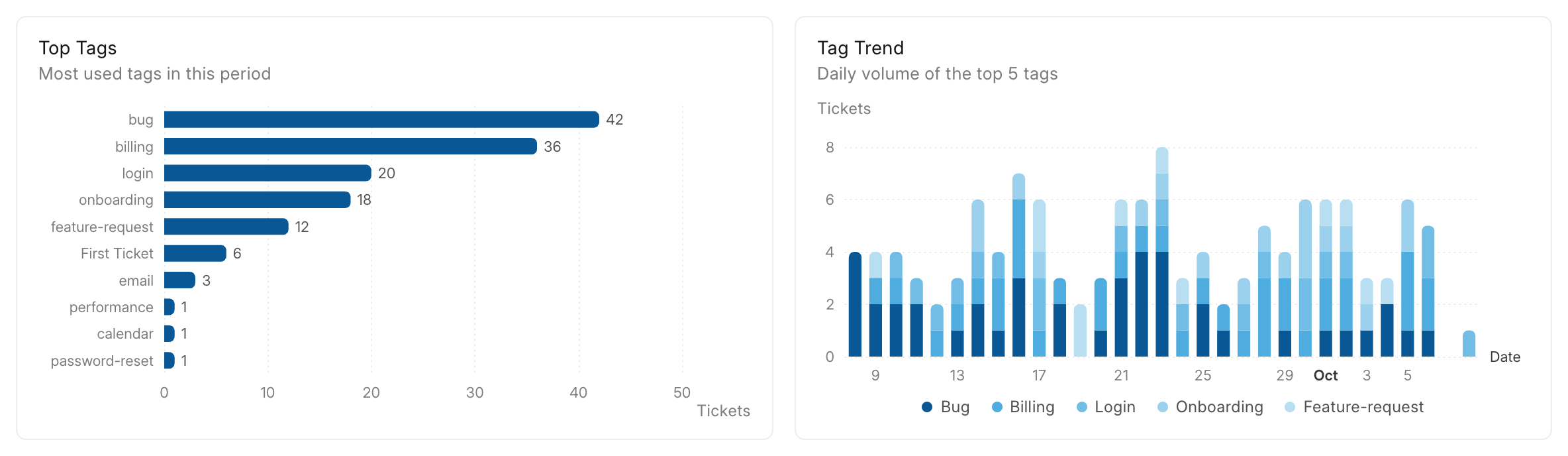
3Find the issues that keep coming up
Tags show which problems are most common and how they change from day to day.
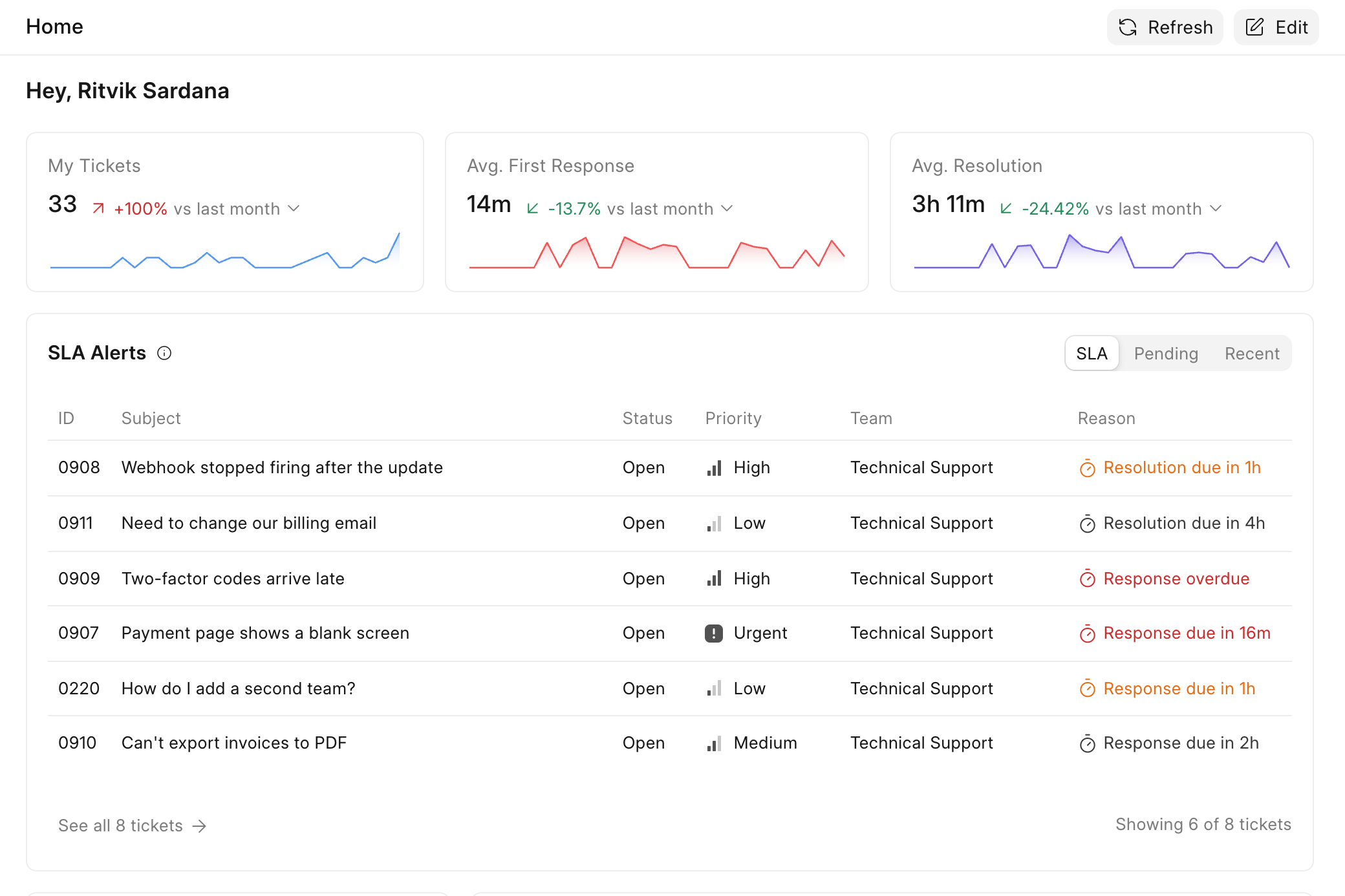
4A Home page for every agent
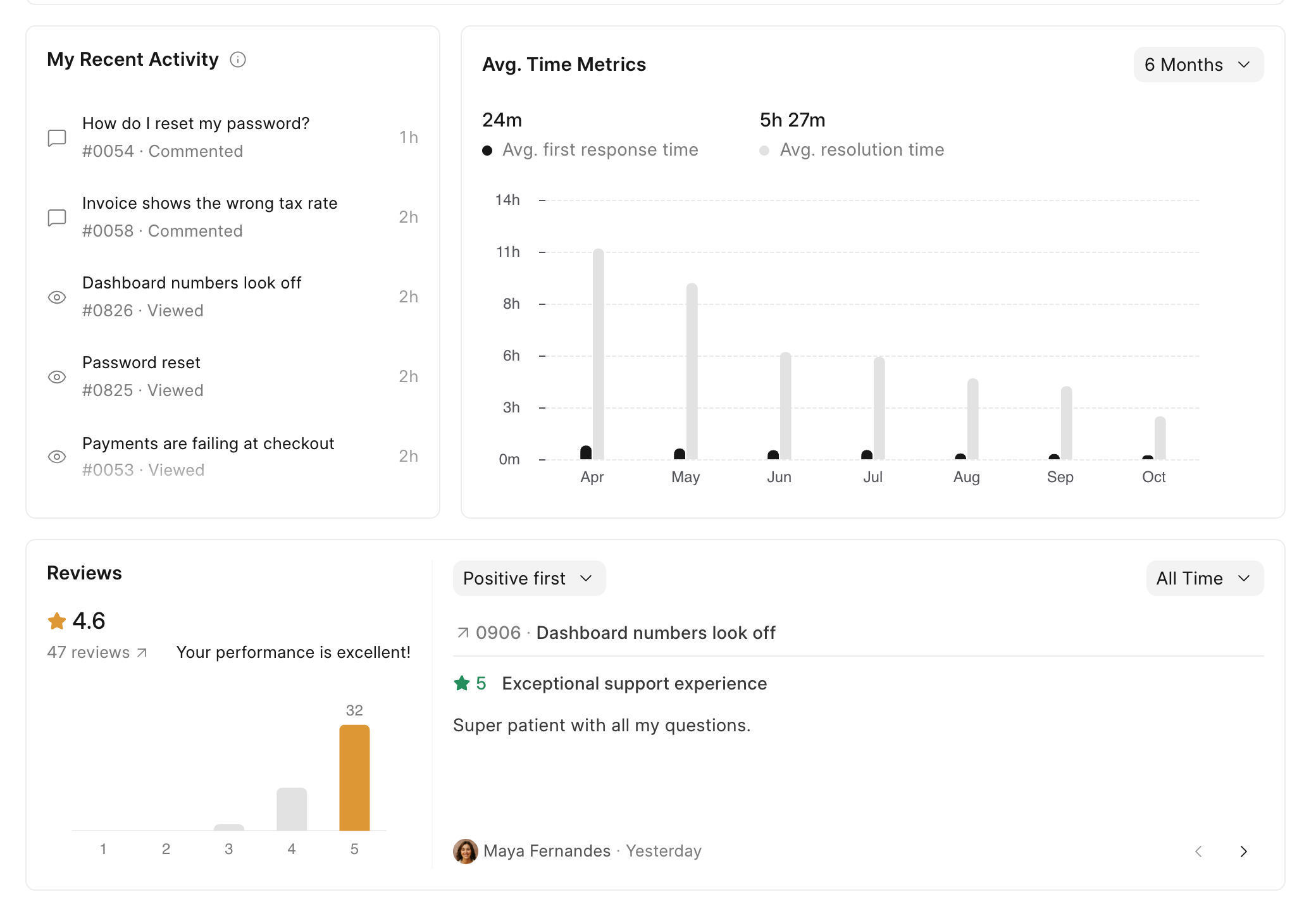
Each agent sees their own tickets, response times, SLA alerts, recent activity and customer reviews.
5Look back at any ticket
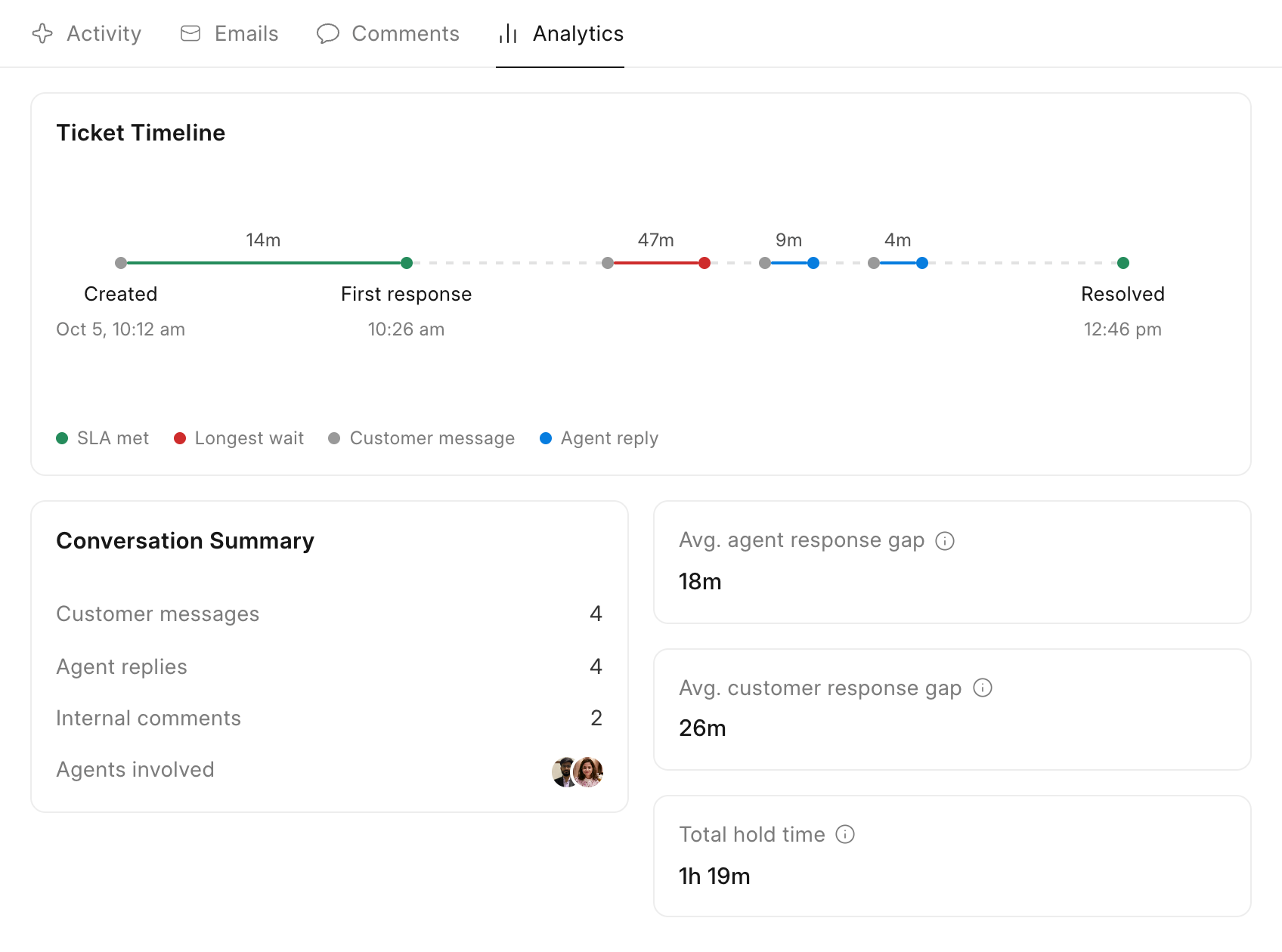
The Analytics tab on a ticket draws its whole timeline, from the first response to the longest wait and the resolution.
6Export your data or build your own reports
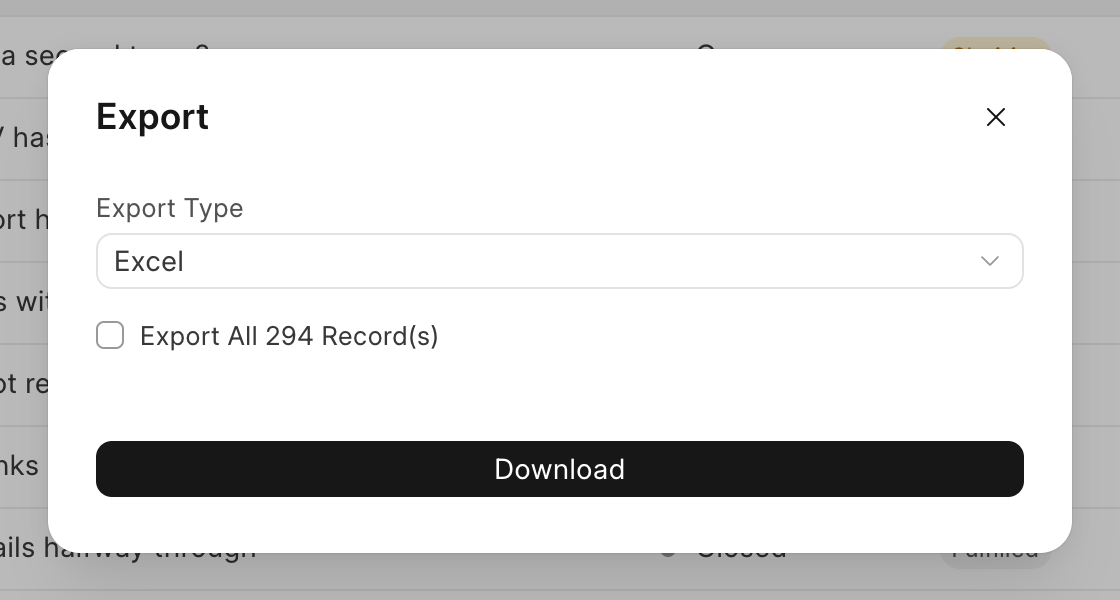
Download your tickets as a spreadsheet at any time, or pull them through the API into your own reports.
All channels, all agents, one helpdesk.
The tools a support team reaches for every day, in one place instead of five separate subscriptions.
Tickets
Live chat
Knowledge base
Reporting
Email to ticket
Shared inboxes
Teams
SLAs
Business hours
Holiday lists
Multi-tier SLAs
24/7 SLAs
Saved replies
Internal notes
@mentions
Collision detection
Round-robin
Field dependencies
Agent dashboard
Unlimited tickets
CSAT surveys
Response reports
Webhooks
REST API
Postman collection
Form scripts
Telephony
Attachments
Help centre
Customer portal
Chat routing
Offline messages
Chat transcripts
Chat ratings
Desktop alerts
Verified visitors
Nefisa Helpdesk
Grow your support with Nefisa Helpdesk
Unlimited tickets on every plan. Start with a 30-day free trial.